
7 Best AI Landscape Design Tools to Compare in 2026
Compare seven AI landscape design tools for photo makeovers, mobile AR, editable 2D and 3D layouts, planting workflows, and exterior visualization.
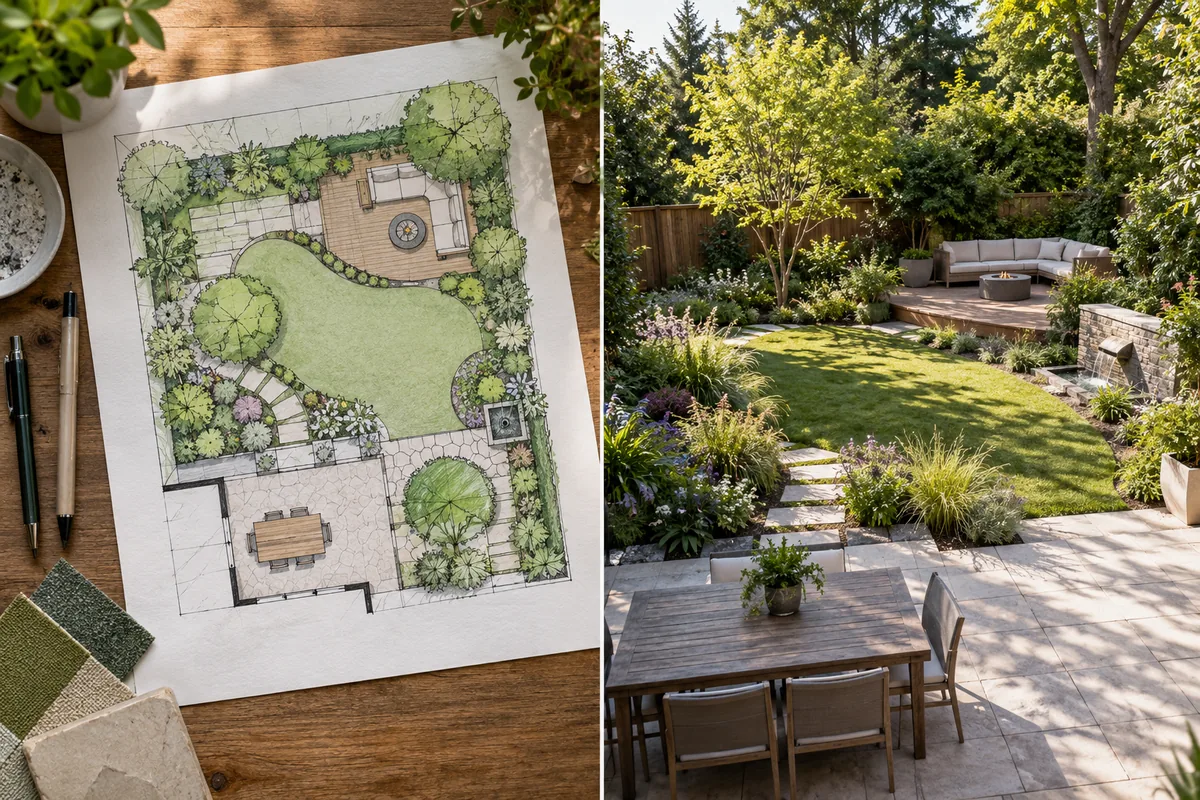
Choosing an AI landscape design tool is easier once you decide what kind of output you actually need. Some tools transform a yard photo into a fast visual concept. Others let you place individual plants, draw measured areas, build a 2D or 3D layout, or prepare a client presentation.
Those jobs are related, but they are not interchangeable. A convincing image can help you compare styles, yet it does not automatically provide verified dimensions, drainage analysis, a locally suitable plant schedule, material quantities, or construction documents.
This guide compares seven tools across their current public workflows as of August 29, 2026. We reviewed official product and pricing pages rather than treating every tool with an “AI” label as the same type of software. Features and prices can change, so confirm the current offer before subscribing.
Disclosure: AILandscape publishes this guide and is one of the products compared below. We identify that relationship so you can weigh the recommendation appropriately. The other product descriptions are based on their official public materials; inclusion is not an endorsement or a substitute for testing a tool with your own property photo.
Quick comparison
ToolBest forMain starting pointEditing depthPlatform emphasisAILandscapeFast yard concepts from an existing photoProperty photoStyle, area, element preferences, and text-guided redesignBrowserNeighborbritePhoto concepts with object-level edits and optional professional plansYard photoAdd, remove, identify, and refine landscape elementsBrowserDreamzARMany garden styles plus mobile editing and iOS ARYard photoConversational refinement, 2D editor, and iOS ARWeb, iOS, AndroidiScapeMobile landscape composition and proposal workflowsPhoto, camera, template, or supported map imageryPlant and hardscape placement; 2D and 3D on iOSMobile-firstPlanner 5DEditable outdoor layouts in 2D and 3DPlan, dimensions, layout, or imported imageStructured object placement, measurements, materials, and rendersWeb, desktop, mobileSimplyScapesMoving from an AI photo concept toward a specified planting layoutProperty or aerial imageAI cleanup, drag-and-drop plants, drawing, measurements, and exportsBrowserREimagineHomeBroad exterior and real-estate visualizationProperty or yard photoPrompted edits, reference images, iterative visual changesBrowser
The most important distinction is not which tool produces the most dramatic demo image. It is whether the workflow matches your next decision.
How we compared the tools
We used six practical questions.
1. Can it start from the property you already have?
A photo-based workflow is useful when you want to preserve recognizable context such as the house, fence, patio, mature tree, driveway, or existing bed. It is less useful when you need a measured blank-site plan.
2. Is the output a visual concept or an editable plan?
Photo generators are fast at mood, style, and composition. Plan-based tools give you more control over dimensions, object placement, and repeated editing. Hybrid tools try to connect the two.
3. How precisely can you revise the result?
A second generation is not the same as moving one plant three feet to the left. We looked for text-guided edits, manual object placement, drawing tools, 2D or 3D editing, and reusable project files.
4. Does it support the way you work?
A homeowner exploring one backyard may prefer a browser tool with no installation. A designer meeting clients on-site may care more about an iPad workflow, AR, proposals, branded exports, or a structured asset library.
5. Is there a realistic way to evaluate it before paying?
Free access can mean a limited number of concepts, restricted assets, a watermark, or a trial rather than a permanently free professional workflow. We treat “free” as a way to evaluate fit, not a promise of unlimited use.
6. Does the product explain its limits?
No image generator can infer every hidden site condition from one photograph. Before installation, somebody still needs to verify measurements, sun and shade, soil, drainage, grading, utilities, access, local rules, structural requirements, plant availability, and maintenance needs.
1. AILandscape: best for quickly comparing yard concepts from a photo
AILandscape’s photo-based landscape generator is designed for the early visual decision: “What direction could this outdoor space take?” You upload one existing outdoor photo, choose an area and style, describe elements to keep or add, and generate a redesigned image for before-and-after comparison.
The current workflow provides dedicated choices for front yards, backyards, side yards, and patios or terraces. Its full style library includes Modern Minimalist, English Cottage, Japanese Zen, Mediterranean, Tropical Paradise, Native Wildflower, Farmhouse Country, and Desert Xeriscape. Access to styles, output quality, watermark removal, and redesign options depends on the account’s current plan and credits.
Why it stands out
-
Starts with the user’s real property photo rather than a blank plan.
-
Keeps the workflow focused on landscape and outdoor-area choices.
-
Supports before-and-after comparison and a downloadable image.
-
Allows text-guided redesign from the result workspace, subject to the account’s current access and credits.
-
Has separate tools for front yard design, backyard design, side yard design, and patio or terrace design.
Main limitation
AILandscape produces visual concepts, not a measured site model. The image does not verify plant species, mature sizes, quantities, drainage, utilities, costs, material specifications, permits, structural conditions, or construction feasibility.
Best fit
Choose it when you have a yard photo and want to compare visual directions before investing time in detailed planning. If you are new to the process, the practical guide to AI garden visualization explains how to prepare a photo and evaluate a result. Current credits and paid options are listed on the pricing page.
2. Neighborbrite: best for photo concepts with granular edits and optional professional help
Neighborbrite begins with an uploaded yard photo and offers preset styles or custom directions. Its public product page also describes tools for editing a selected area, adding plants and outdoor features, removing objects, identifying plants, enhancing images, and exporting higher-resolution results on eligible tiers.
That makes it more than a one-click restyle tool. A homeowner can move from broad inspiration toward targeted image edits without immediately rebuilding the yard in a full drafting environment.
Neighborbrite also separates software from professional service. Its professional design offering can include consultation, visual mockups, a scaled 2D plan, and plant or material information. Those deliverables come from the professional service, not automatically from every free AI generation, so check which product you are purchasing.
Why it stands out
-
Browser-based and photo-first.
-
Includes object-level editing tools on paid tiers.
-
Offers plant identification and landscape-element controls.
-
Provides a path to separately purchased professional design work.
Main limitation
Feature labels span Free, Pro, Business, landscaper, and professional-service offerings. Compare the exact tier carefully instead of assuming every homepage feature is included in a free homeowner account.
Best fit
Choose Neighborbrite if you want a photo concept but expect to make localized edits, identify visible plants, or explore a separate professional-design package later.
3. DreamzAR: best for style variety, conversational refinement, and iOS AR
DreamzAR combines photo transformation with a large style catalog, conversational refinement, a manual 2D editor, and mobile features. Its official materials describe more than 38 garden styles and a library of more than 2,000 plants and outdoor elements.
The product is available through web, iOS, and Android, but not every feature is identical across platforms. DreamzAR identifies its life-size 3D augmented-reality mode as iOS-only. Its 2D editor lets users place, scale, and rotate plants, paths, patios, hardscape, and décor rather than relying entirely on repeated AI generations.
Why it stands out
-
Broad collection of curated landscape styles.
-
Photo-based AI concepts with conversational revisions.
-
Manual 2D editing after or alongside concept generation.
-
iOS AR for viewing elements at life-size scale.
-
Web and Android access for the core workflow.
Main limitation
Platform-specific features and subscriptions require attention. Confirm whether the editor, AR mode, account, and subscription you want work on the device where you plan to design. DreamzAR also frames the output as concept visualization rather than drainage, irrigation, cost, or construction planning.
Best fit
Choose DreamzAR when style exploration is important and you want both AI concepts and a more hands-on mobile editing experience. It is particularly relevant for iPhone or iPad users who value AR.
4. iScape: best for a mobile plant-and-hardscape composition workflow
iScape is a mobile-first landscape design app. Users can begin with an existing photo, take a new photo, use a template, or use supported map imagery, then compose a design with plants, hardscape materials, and products.
The product has a longer-standing manual visualization workflow than many newer prompt-first generators. Its official pricing page distinguishes a restricted free experience from Pro access to the full database, personal image uploads, and proposal features. At the time of this review, the page listed Pro at $29.99 per month or $299.99 per year per user, while enterprise pricing required contact with the company.
The platform details matter: iScape’s pricing page identifies 2D and 3D design as iOS-only, even though download links are available for both Apple and Android devices.
Why it stands out
-
Mobile workflow suited to designing while looking at the actual site.
-
Large plant, hardscape, and product library on Pro.
-
Manual placement instead of depending only on generated images.
-
Proposal features for presenting work.
Main limitation
The strongest design features are tied to iOS and paid access. Users looking for a desktop browser workflow or automatic whole-yard restyling may prefer a different category of tool.
Best fit
Choose iScape if you prefer composing a landscape from selectable elements on a phone or tablet, especially when proposals and an iOS-centered workflow matter.
5. Planner 5D: best for editable 2D and 3D outdoor layouts
Planner 5D’s landscape design software is closer to a structured planning environment than a photo makeover generator. Users can define boundaries and dimensions, add terrain and exterior structures, place outdoor objects, switch between 2D and 3D, test materials and lighting, and create rendered presentations.
This difference matters. If your main question is “What style suits this photo?”, a specialized photo generator is faster. If your question is “How should the patio, path, pool, fence, planting areas, and furniture relate in an editable model?”, Planner 5D offers more spatial control.
Its official landscape page describes browser and mobile use with cloud synchronization. The broader product also offers paid catalog, rendering, floor-plan, professional-documentation, and export features, but availability depends on the selected plan.
Why it stands out
-
Editable 2D and 3D project rather than only a final image.
-
Dimensions, boundaries, terrain, structures, and object placement.
-
Material, lighting, rendering, and presentation workflows.
-
Cross-device access.
Main limitation
A structured model takes more setup than uploading one yard photo. It also does not remove the need for a survey, engineering, code review, or professional landscape documentation when those are required.
Best fit
Choose Planner 5D when layout control matters more than instant photo transformation, or when you want to revise an outdoor model repeatedly as the project develops.
6. SimplyScapes: best for connecting AI concepts with planting and takeoff workflows
SimplyScapes uses a hybrid workflow. You can upload an on-site or aerial image, describe changes in natural language, generate a photo-based starting concept, and then refine the same project with drag-and-drop plants, hardscape, and drawing tools.
Its official product page describes more than 2,400 plants and 7,000 plant photos, with filters for climate zone, water use, sun needs, and mature size. It also offers aerial-view area measurements and material takeoffs as a beta feature, along with PDF proposals and image or vector exports. The free offer is described as three active designs without a credit card.
This is a useful middle ground between a fast render and a manual landscape editor. The AI image establishes direction; the library and drawing tools help specify what belongs where.
Why it stands out
-
AI photo preparation and concept generation.
-
Manual plant and hardscape placement on the same project.
-
Plant filters based on practical growing attributes.
-
Measurement, takeoff, proposal, and export features.
-
Browser access without installation.
Main limitation
Some planning features, including aerial measurements, are labeled beta. Plant filters improve research, but users still need to verify local availability, invasiveness, exact site conditions, and suitability with reliable regional sources.
Best fit
Choose SimplyScapes when you want to continue from an AI concept into a more specified planting layout or client-facing proposal without moving immediately to traditional CAD software.
7. REimagineHome: best for broader exterior and real-estate visualization
REimagineHome covers interiors, exteriors, property listings, and yards. Its exterior tools include landscape visualization, hardscaping concepts, pool addition or removal, lawn replacement, seasonal changes, surface restyling, and property-presentation edits.
Users can start from a property photo, describe the desired result, and optionally provide a reference image or moodboard. The workflow supports iterative instructions that build on previous versions, which is useful when the outdoor image is part of a larger exterior or listing project.
Why it stands out
-
Broad set of exterior and property-visualization tools.
-
Text instructions plus reference-image guidance.
-
Iterative edits that can preserve unselected areas.
-
Before-and-after review and high-resolution export on eligible access.
-
Useful when outdoor changes are only one part of a real-estate presentation workflow.
Main limitation
It is not a landscape-specific planting or site-planning system. A realistic pool, patio, planting bed, or exterior alteration in an image is not evidence that the proposal is permitted, structurally feasible, correctly sized, or accurately priced.
Best fit
Choose REimagineHome when you need fast exterior imagery for ideation, renovation visualization, or property presentation across more than landscaping alone.
Which AI landscape design tool should you choose?
Use the output you need as the deciding factor.
Choose a photo-based concept generator when you need visual direction
AILandscape, Neighborbrite, DreamzAR, and REimagineHome can help answer questions such as:
-
Would a modern or cottage direction suit the house?
-
Could the lawn become a layered garden?
-
How might a patio, path, bed, or privacy element change the composition?
-
Which concept is clear enough to discuss with a landscaper?
These tools are strongest before detailed purchasing or construction decisions.
Choose a manual or plan-based tool when placement matters
iScape and Planner 5D are more relevant when you want to place or adjust individual objects and return to an editable project. Planner 5D emphasizes 2D and 3D spatial layout; iScape emphasizes mobile visual composition and landscape assets.
Choose a hybrid tool when you want to progress beyond the first image
SimplyScapes and some Neighborbrite or DreamzAR workflows combine AI concepts with more granular editing, plant libraries, proposal tools, or optional professional services. Confirm exactly which deliverable comes from software and which comes from a separately purchased service.
What AI landscape tools still cannot verify from one photo
Even the best-looking output should be treated as a design direction until the site is checked. Before buying plants or materials, verify:
-
Property boundaries, easements, setbacks, and local rules.
-
Existing utilities, irrigation, drainage, and grading.
-
Exact dimensions, slopes, access widths, and clearances.
-
Sun exposure across seasons and the site’s microclimates.
-
Soil condition, water availability, and maintenance capacity.
-
Plant identity, hardiness, mature size, toxicity, and invasiveness.
-
Structural requirements for retaining walls, decks, pools, roofs, railings, and elevated terraces.
-
Material quantities, labor availability, costs, permits, and construction sequencing.
A productive workflow is to use AI for visual exploration, turn the preferred image into a clearer brief, then ask the appropriate local nursery, landscape designer, contractor, engineer, or permitting authority to validate the parts that affect safety and installation.
For a deeper explanation of the distinction between an input photo and a final concept, read how AI visualizes a garden idea from your photo. You can also browse before-and-after landscape examples to see why a useful concept is a conversation starter rather than a construction promise.
Final recommendation
There is no single best AI landscape design tool for every stage.
-
For fast visual concepts from a real yard photo, start with a focused photo-based generator.
-
For individual plant and hardscape placement, choose a manual landscape editor.
-
For dimensions and repeatable 2D or 3D revisions, choose a plan-based system.
-
For planting filters, proposals, or professional deliverables, choose a hybrid workflow and confirm what is included in the selected tier.
The best first test is simple: use the same representative yard photo, request the same design direction, and compare not only the image quality but also how easily you can correct the result. A tool that lets you reach a clear, honest, and revisable decision is more useful than one that produces the most dramatic first render.